Notes
Day 3 Day 4 Day 5 Day 6 Day 7Day 3
Data
Raw, unprocessed facts and figures without context. Example: numbers, dates, strings.
Information
Processed data that has meaning and can be used for decision-making. Example: A report showing sales figures.
Meta Data
Data that describes other data. It provides information about data's structure, data type, and constraints. Example: Column names, data types.
Data Dictionary
A centralized repository of information about data such as meaning, relationships to other data, origin, usage, and format. It helps in managing data definitions.
Database
An organized collection of structured data, typically stored electronically in a computer system, and managed by a DBMS.
Table
A collection of related data entries consisting of rows and columns in a database. Each table represents a specific entity.
Tuple(s)
A single row in a table, which represents a single record of data.
Field(s)
A single piece of data; a column in a table. Each field represents an attribute of the entity described by the table.
Domain(s)
The set of permissible values that a field can take. Example: The domain of a field "age" might be 0-120.
Constraint(s)
Rules enforced on data in a table to ensure validity, integrity, and consistency. Examples: Primary key, foreign key, unique, not null.
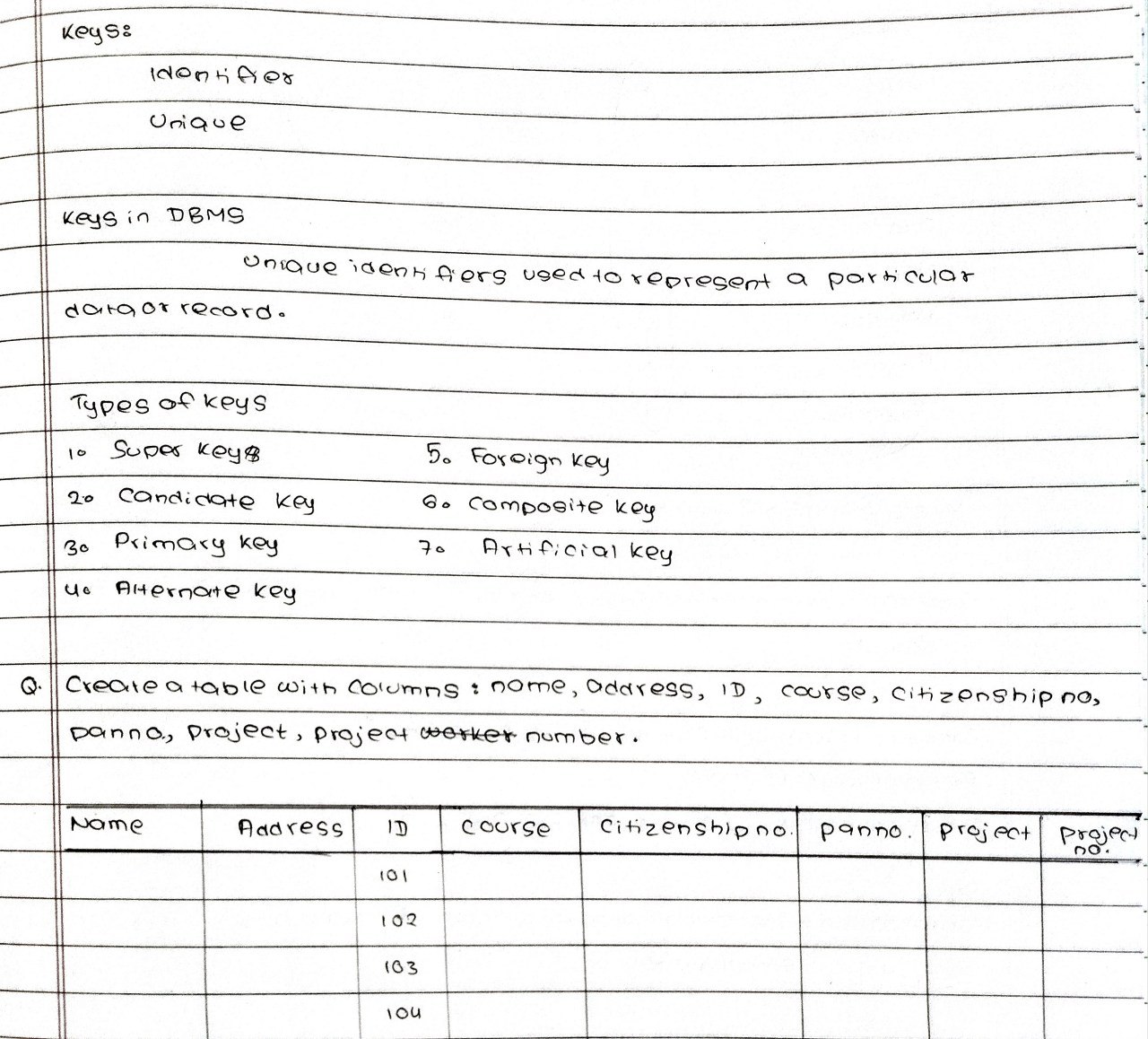
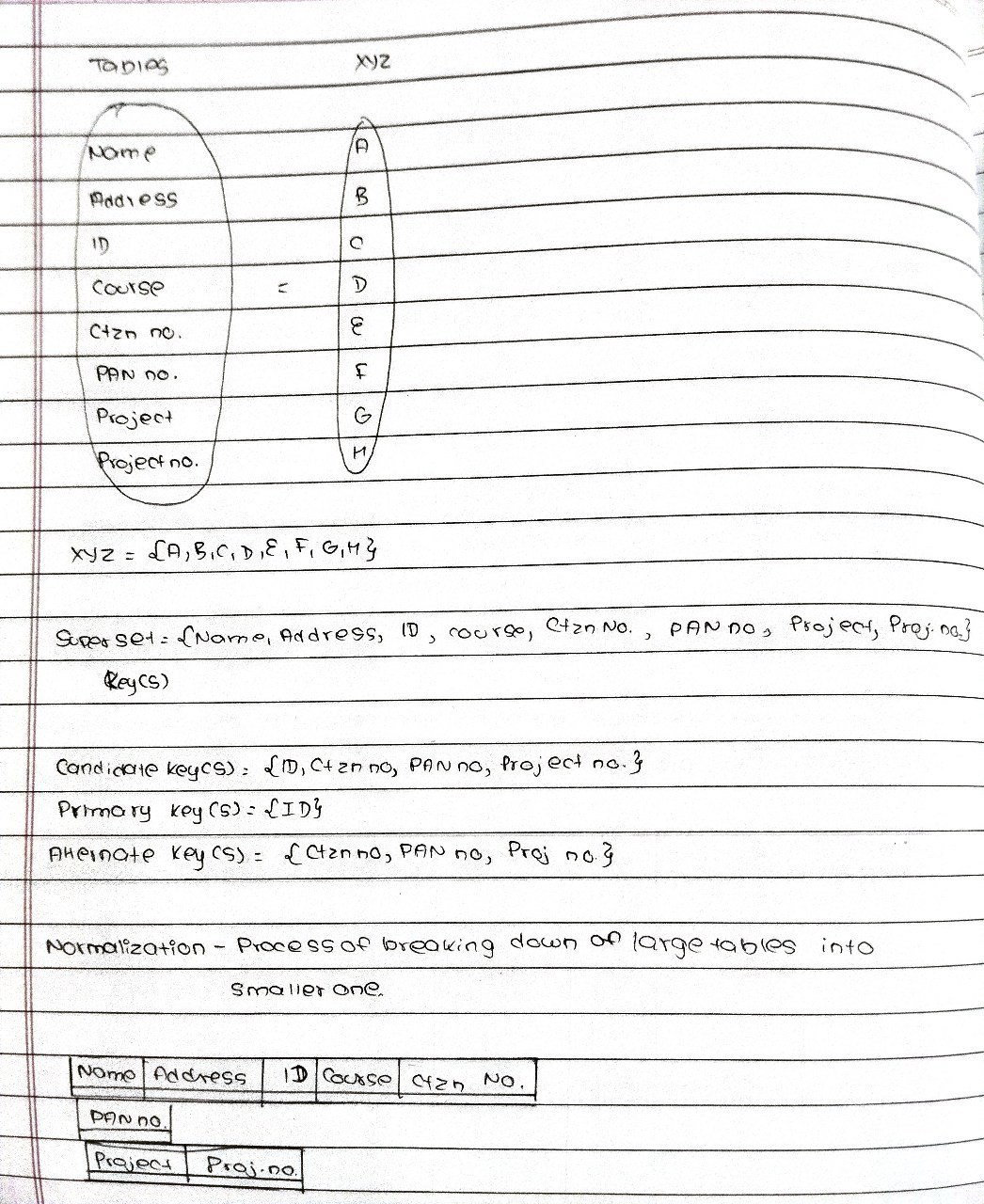
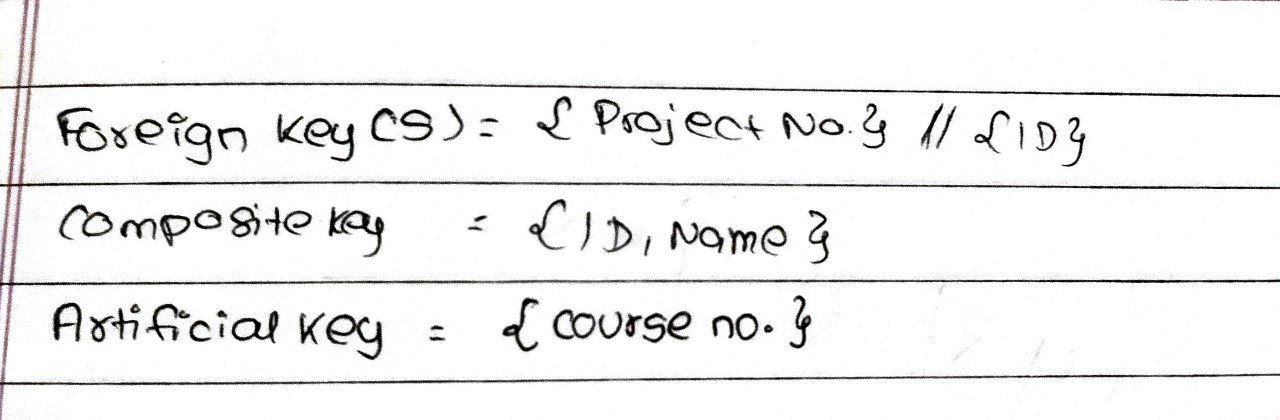
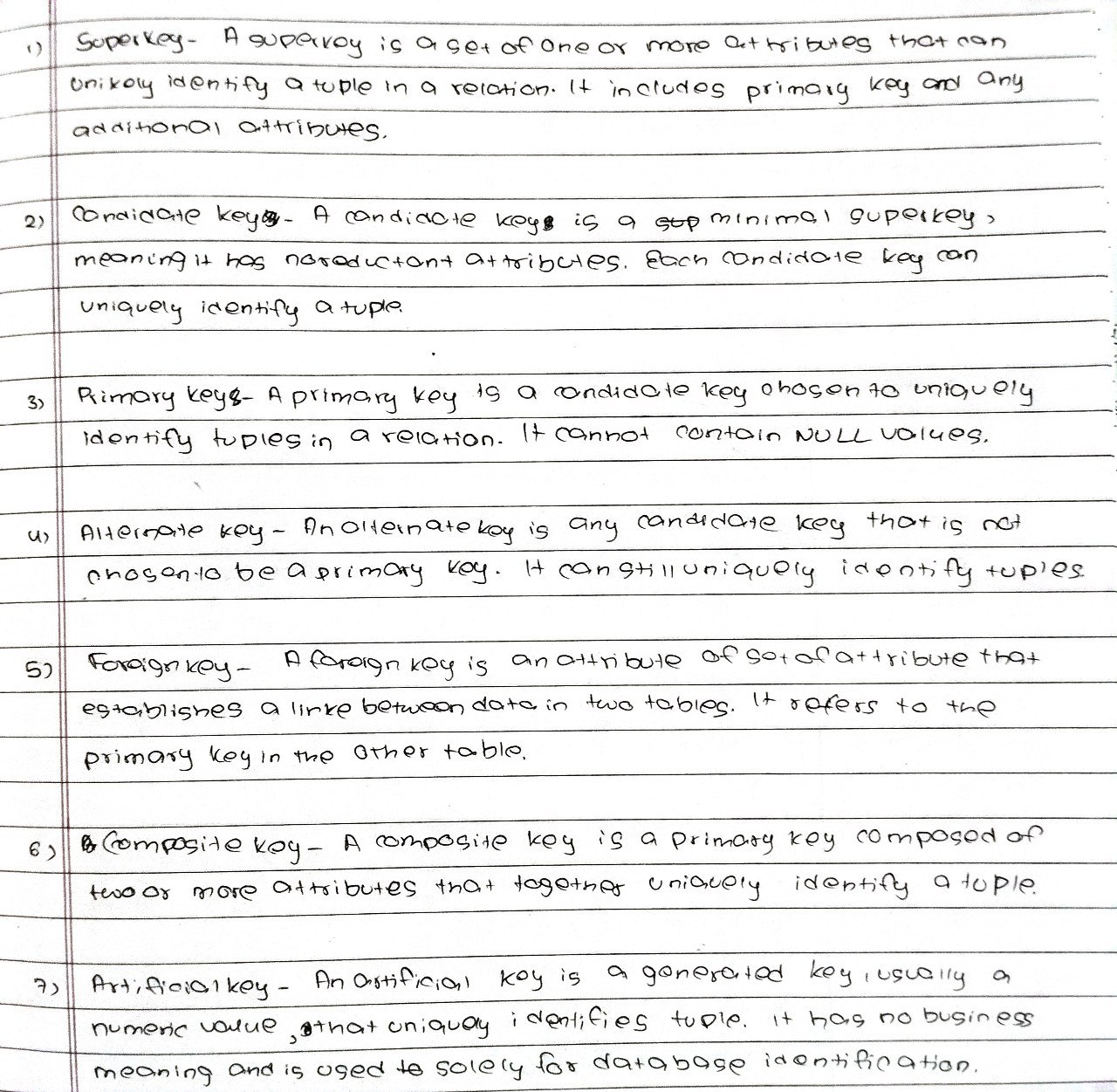
Key(s)
A field or combination of fields used to uniquely identify a record in a table. Examples include primary key, foreign key, and unique key.
Day 4
Day 5
Day 6
How to create Gmail account?
- Go to google signup page
- Fill in the information
- Verify phone number
- Agree to the terms and conditions
How to create GitHub account?
- Go to github site
- Enter email to signup
- Fill in the information
- Fill the verification code from the email
- Agree to the terms and conditions
How to connect VS Code Editor to GitHub account?
- Go to VS Code extensions tab
- Download GitHub extension
- Login with GitHub account
How to clone/pull repository from GitHub?
- Copy the link of the repository
- Open terminal
- Use this command: git clone https://github.com/YOUR-USERNAME/YOUR-REPOSITORY
How to push repository/folder to GitHub?
- Open GitHub dashboard
- Click new repository on the upper right
- Name the repository and create it
How to publish the repo as live site?
- Go to settings of repository
- Go to pages section
- Choose root in dropdown menu
- Go back to the repository page and click the orange dot
- After processes complete,go to page settings again and the link will be available
Day 7